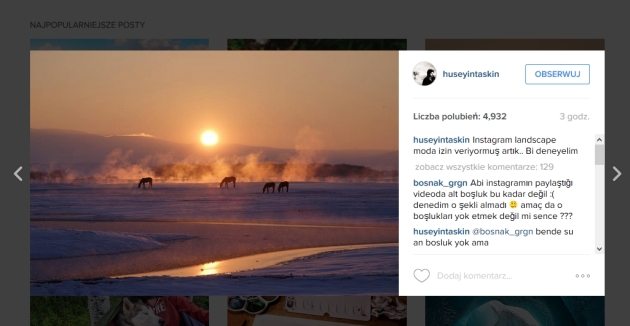
Любителям делиться фотографиями на сервисе Instagram приятно будет узнать про изменения которые внесли разработчики этого мобильного приложения от начала его существования. Теперь мы можем делиться не только квадратными кадрами, но и вертикальными и горизонтальными. То есть конец с усечением в Инстаграм? Unfortunately, не до конца и не всегда.
Остается ограничение, которое предписывает, что кадры вертикальные должны иметь соотношение сторон до 4:5. Кадры 2:3, 4:6, будет нужно обрезать. Все равно будет меньше проблем, чем принудительные пропорции 1:1 – из за чего много фотографий теряли свое очарования через кадрирование, можно будет лучше показать.
What matters most, при просмотре таких прямоугольных фотографий, Instagram не добавил никаких границ (cm. фото в начале новость).
Прежний требование квадратного кадра, что было связано с внешним видом инстаграмового интерфейса и основным предназначением приложения. Квадратные миниатюры предварительного просмотра изображений показывают все фотографии, but because, что Instagram должен был служить посредственно для вброса фото со смартфона (что в значительной степени по-прежнему имеет место), требование квадратного кадра не было столь большой проблемой.
Квадрат это, but, особый тип кадра и в случае обычных цифровых камер редко используется. Требует больших навыков, а оправдать его не всегда можно. Трудно требовать, чтобы фотограф думал во время съемки, только о том, как оно будет представлено после кадрирования в квадрат. Special, когда Instagram не является самым важным местом, где фото должно быть представлено.
Чтобы разместить в Instagram другой, не квадратный кадр, применялись различные трюки. Добавляли белые полосы вокруг изображения так, чтобы получить квадратное изображение, или применялись приложения, которые наполняли недостающую в квадрате часть кадра другим изображением, eg, размытым основным мотивом.
Другим способом решения проблемы было высыпание несколько фотографий, So, чтобы сложились в списке миниатюр в большую, не обязательно квадратную. Но это не простая задача.
Из-за ограничения в кадрировании, вышеуказанные методы, of course, не уйдут в небытие. In spite of this, можно быть уверены в том, что многие люди с удовольствием воспользуются другим вариантом, чем площадь стандартного кадра. До сих пор около 20% основных загруженных фотографий на самом деле не являются квадратными кадрами.
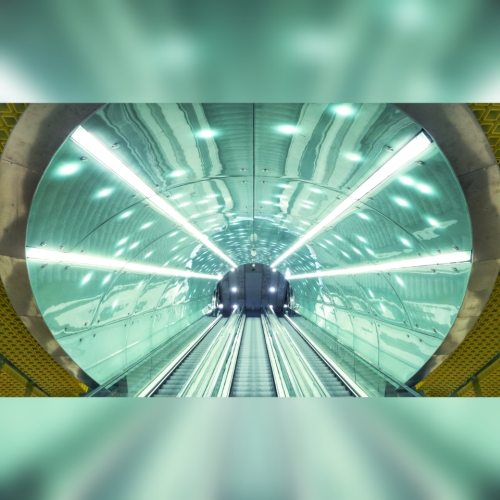
Способ показать прямоугольное фото на квадратном изображении
The only thing, о чем нужно будет помнить, это тот факт, что в окне предварительного просмотра миниатюр по-прежнему будут отображаться квадратные кадры.
Instagram в версии 7.5 уже доступен для загрузки из AppStore и Google Play. Когда будете обновлять более раннюю установку, может случиться, что значок, позволяющий изменять пропорции кадра не будет отображаться в окне выбора фотографии. После этого необходимо подождать некоторое время. If this does not help, в Диспетчере приложений Андроид следует удалить все данные, связанные с Instagram и снова запустить программу.
Нажимаем на ОЧИСТИТЬ ДАННЫЕ, а также ОЧИСТИТЬ ПАМЯТЬ. Эта операция не удаляет фотографии, которые хранятся в папке Instagram.